
Understanding Color Printing Methods
Achieving high-quality color prints requires a comprehensive understanding of the various printing technologies and their applications. The primary methods used in professional printing services encompass RGB and CMYK color models, each tailored to specific outputs and mediums. Grasping the differences between these models and their practical applications ensures that your color print projects meet expected standards of vibrancy and accuracy.
RGB Color Model
The RGB (Red, Green, Blue) color model is predominantly used for digital displays, such as monitors, screens, and projectors. This technology works by combining varying intensities of red, green, and blue light to generate a broad spectrum of colors. When preparing digital files for on-screen viewing or printing, understanding the RGB model enables creators to design with digital fidelity in mind. However, RGB colors can sometimes appear differently when translated for print, which uses a different color spectrum.
CMYK Color Model
The CMYK (Cyan, Magenta, Yellow, Key/Black) color model is the standard for professional printing. It relies on subtractive color mixing, where layers of ink are applied to a substrate—such as paper—to produce the final image. CMYK allows for precise color reproduction in print materials, catering to detailed images, logos, and graphics. When readying files for color printing, converting digital artwork from RGB to CMYK is essential for ensuring the vibrancy and accuracy of colors in the printed product.
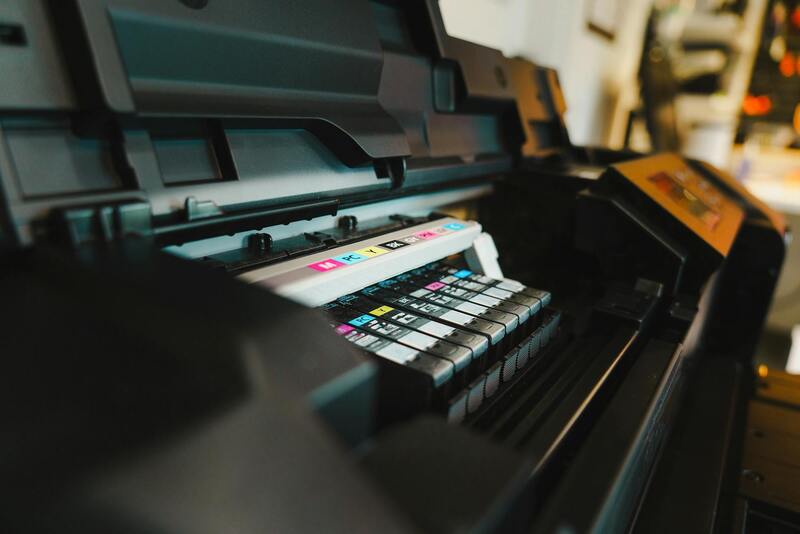
Modern professional printing utilizes advanced digital presses capable of reproducing a broad spectrum of colors with high fidelity. The choice between RGB and CMYK depends on the final medium, with CMYK being the preferred option for most printers handling physical outputs. Proper understanding and application of these models impact the overall quality of the print, affecting factors such as color consistency, vibrancy, and sharpness. When working with print companies like disc-print.com, providing files correctly formatted and color-managed ensures your printed materials meet professional standards.
Application in Commercial Printing Services
Commercial printing services leverage these technologies to produce everything from marketing collateral to detailed photographic reproductions. Advanced digital presses incorporate sophisticated color management systems that calibrate and profile colors for uniformity across different runs and materials. Whether printing business cards, brochures, or banners, selecting the appropriate color mode and preparing files accurately is critical for producing visually compelling material.
In addition to digital presses, traditional offset printing also capitalizes on CMYK color application, often requiring pre-press processes such as color separations and proofs to match the desired output. By understanding the core principles behind each method, users can effectively collaborate with printing professionals, ensuring that their prints in color are true to their original designs and expectations.
Summary
- The RGB color model is primarily used for digital displays; it combines red, green, and blue light.
- The CMYK color model is standard for printed materials; it uses subtractive color mixing with cyan, magenta, yellow, and black inks.
- Converting files from RGB to CMYK prior to printing improves color accuracy and vibrancy in final outputs.
- Understanding the different technologies helps in selecting the appropriate method and material for your printing needs.
- Professional printing services employ sophisticated color management systems to ensure high-quality color reproduction across different projects.
Understanding Color Printing Methods
To achieve vibrant and accurate colors in printed materials, it is essential to understand the core technologies behind color printing. Digital printing solutions, such as those employed by modern presses, utilize sophisticated color management systems that calibrate printers to ensure consistent color output across different runs and media types. These systems use color profiles to translate digital color data into physical ink layers, enabling precise replication of hues and shades specified in original design files.

Digital versus Offset Printing
Digital printing methods leverage advanced toner or inkjet technologies, ideal for short runs with quick turnaround times. These systems can directly produce print jobs from digital files, streamlining the production process. Offset printing, on the other hand, employs a complex process of transferring inked images from plates to a rubber blanket, then onto the printing surface. This traditional technique excels in high-volume production and can produce exceptionally vibrant and consistent color results when using the CMYK process.
Color Models and Their Application
- RGB (Red, Green, Blue): Primarily designed for digital displays, RGB combines light to generate a broad spectrum of colors. Files intended for digital viewing should remain in RGB to maintain color fidelity.
- CMYK (Cyan, Magenta, Yellow, Black): Used in most commercial printing, CMYK applies subtractive color mixing. Converting RGB files to CMYK prior to printing allows for more accurate control over the final output, ensuring that colors match the original design as closely as possible.
Implications for Printing Projects
Understanding whether your project requires digital or offset printing is crucial. For instance, detailed photographic reproductions benefit from offset presses' capability to reproduce subtle tonal variations and vibrant colors through precise color separations. When working with digital systems, proper file preparation—such as embedding color profiles and choosing suitable formats—ensures high fidelity in the final print.
Color Management in Practice
Effective color management involves calibrating monitors, selecting appropriate color profiles, and ensuring that print drivers are set correctly. It is essential to work with high-resolution, properly prepared files, preferably converted to CMYK if intended for offset printing. Clear communication with your printing provider about color expectations and proofing procedures helps avoid discrepancies and guarantees the color accuracy you desire.
Utilizing Calibration and Color Profiling for Consistent Results
Achieving vibrant and accurate color reproduction in professional printing relies heavily on calibration and the use of precise color profiles. Regular calibration of monitors ensures that the colors viewed during the design process match the actual printed output. This involves adjusting display settings to standardized levels, often through hardware calibration tools that set gamma, white point, and luminance, creating a consistent visual reference.
In addition to monitor calibration, implementing ICC (International Color Consortium) profiles tailored to specific printing devices and media is essential. These profiles encode information about how colors should be interpreted across devices, from the digital file to the final printed piece. When preparing files for print, embedding the correct ICC profile helps ensure that the colors in your document translate accurately to the printing process, reducing discrepancies and enabling predictable results.

Professional workflows often involve a color management system (CMS) that coordinates device profiles, monitors, scanners, and printers. This system maintains color fidelity throughout the production process. By calibrating each device and embedding accurate profiles, designers and print operators can collaborate more effectively, ensuring the final printed colors meet expectations without the need for costly reprints or extensive color corrections.
Implementing Practical Color Adjustment Techniques
In scenarios where color accuracy is critical, such as brand logo reproduction or photographic prints, traditional adjustments may not suffice. Color correction tools within editing software enable precise tweaking of hue, saturation, and luminance before printing. When preparing files, it’s important to keep the file in a compatible color space, typically CMYK for offset printing, to facilitate seamless color management.
Moreover, soft proofing—viewing the print simulation on a calibrated monitor—allows designers to preview how colors will appear on the final printed material. This process helps identify potential issues early, such as color shifts or dull tones, guiding necessary adjustments before the actual print run. Combining soft proofing with accurate ICC profiles creates a robust workflow for producing high-quality, color-consistent prints.

Ultimately, a comprehensive approach encompassing device calibration, profile embedding, and careful file management forms the backbone of reliable color printing. Investing time in setting up these variables pays off in achieving vibrant, accurate colors that faithfully represent your original design, whether for commercial, artistic, or branding purposes.
Understanding Color Printing Methods
Accurate color reproduction in printing involves selecting the appropriate printing process that aligns with your project needs. Conventional methods such as offset and digital printing are widely used for color output, each offering distinct advantages. Offset printing utilizes plates and inked presses to produce high-quality images suitable for large volumes, ensuring consistent color fidelity across extensive runs. Digital printing, on the other hand, offers convenience and rapid turnaround, ideal for short runs or personalized prints, with precise color management capabilities embedded within modern printers.
Understanding the core differences between these methods is crucial when planning your print job. Offset printing provides superior color accuracy for complex images, especially when reproducing brand-specific colors or photographic details. Digital printing allows for direct file printing with minimal setup, capitalizing on built-in color calibration tools to achieve vibrant results. Additionally, inkjet printers are popular for their affordability and ability to print on various media, making them suitable for high-detail color prints on diverse materials.
Color Management and Color Profiles
An essential aspect of producing in-color prints is effective color management. Embedding ICC profiles in your digital files helps maintain consistency between on-screen previews and actual prints. Profiles serve as a guide for printers to interpret color data accurately during printing. Using calibrated monitors and soft proofing tools ensures that the colors you see during design are close to end results, reducing discrepancies and ensuring color vibrancy.
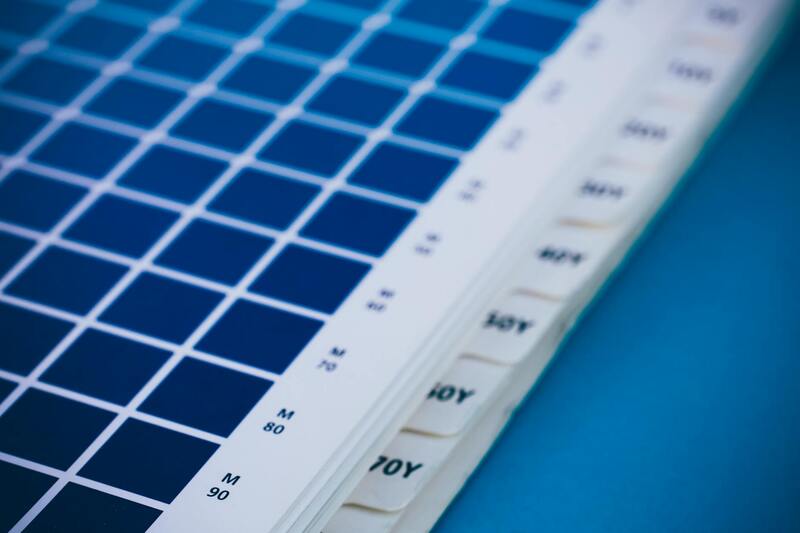
When preparing files, utilize software with robust color management features. Convert your artwork to a suitable color space, such as CMYK, for offset presses, to enhance color fidelity and reduce color shifts. Soft proofing and viewing your designs with ICC profiles in a controlled environment helps identify potential issues before printing, saving time and resources. For digital printing, ensure your printer settings match your desired output, including color profiles and paper type, to maximize vibrancy.
Best Practices for Achieving Vivid Color Prints
Implement these strategies for optimal color output:
- Calibrate your printers regularly to maintain consistent color performance.
- Use high-quality inks and media tailored for your specific printing process.
- Embed and utilize correct color profiles during file preparation.
- Conduct test prints to verify color accuracy before large runs.
- Monitor environmental factors such as lighting and humidity, which can influence ink adhesion and color vibrancy.
By adhering to these practices, you ensure that your color prints exhibit the intended vibrancy and accuracy, whether for professional branding, creative projects, or photographic reproductions.
Ensuring Consistent Print in Color Using Legitimate Methods
Achieving vibrant, accurate color reproduction in printed materials requires a comprehensive understanding of the official methods and settings involved. By leveraging the right tools, proper calibration, meticulous file preparation, and correct printer configurations, users can reliably produce high-quality color outputs. Each step, from selecting suitable software to managing environmental factors, plays an integral role in maintaining color fidelity during print production.
Utilizing Proper Color Management Techniques
Color management begins with working within a calibrated environment and with professional-grade software that supports high-fidelity color workflow. Software applications such as Adobe Photoshop, Illustrator, or specialized prepress tools offer advanced color management features. By embedding accurate ICC (International Color Consortium) profiles into digital files, designers ensure that the colors rendered on the monitor translate precisely to the printed page. During file creation, converting images and artwork to the CMYK color space, which is standard for offset and commercial printing, minimizes unexpected color shifts, ensuring your printed colors match your intentions.

Soft proofing capabilities within these programs simulate how colors will appear when printed, providing a critical preview step that detects potential issues before actual printing. When preparing files, use consistent color profiles across devices and mediums, and ensure your monitor is correctly calibrated and profiling itself regularly. This synchronization aids in achieving predictable and vibrant color output across various projects.
Calibration of Printing Devices
Even with flawless digital files, the printing device must be precisely calibrated. Regular calibration of printers ensures consistent and reliable color output. Professional-grade calibration tools and colorimeters measure the device’s current output against known standards. Based on these measurements, adjustments are made to the printer’s color settings, ink levels, and paper handling, stabilizing color performance over time.
Many commercial printers include embedded calibration profiles accessible through user interfaces or dedicated software. For digital presses, maintaining calibration is critical for high-volume, color-critical work. Additionally, using high-quality inks and papers compatible with your printing technology helps maximize color vibrancy and stability.
Proper File Preparation and Output Settings
Preparing files with accuracy is fundamental to legitimate color printing. When exporting digital designs, embed the appropriate ICC profiles, select the correct color mode (usually CMYK for offset and commercial printing), and proof colors in a controlled environment. Files should be formatted in compatible formats like PDF or TIFF, which preserve embedded profiles and image quality.
Within printing software and driver settings, specify color management policies, ensuring the printer interprets color data as intended. Always run test prints before large production runs to verify color accuracy and vibrancy, allowing adjustments to be made proactively. This approach minimizes waste and guarantees that final outputs meet expectations.
Optimizing Printer Settings for Color Output
Correct configuration of printer settings is vital for accurate color reproduction. Access your printer driver options, and always select the appropriate media type, quality level, and color profile matching the paper stock in use. Enable any color management options provided, such as ICC profile selection or color correction features, to align the printer’s output with your digital files.
It is also advisable to disable any unnecessary image enhancements or automatic color corrections that could distort your carefully managed color data. When printing from applications like Adobe Acrobat or Photoshop, utilize the print dialog’s color management options to specify whether the application or the printer should handle color adjustments. For best results, select 'Printer Managed Color' for consistent color fidelity or 'Application Managed Color' if you have a calibrated workflow.
Additional Recommendations for Maintaining Color Fidelity
- Use high-quality, matching inks and papers: Quality materials ensure that colors appear vibrant and consistent with your digital designs.
- Maintain a stable environment: Control lighting, humidity, and temperature in the printing area to prevent color shifts caused by environmental factors.
- Regularly update and maintain equipment: Keep your printers well-maintained with the latest firmware and calibration data.
- Conduct test prints: Periodic test runs help identify deviations early, allowing timely adjustments to keep color consistent.
- Train staff on proper procedures: Ensure all operators understand the importance of color management and proper setup protocols.
Adhering to these legitimate and established techniques enables consistent, high-quality color printing that meets professional standards and client expectations. Implementing thorough management of files, equipment, and environmental conditions ensures that the vibrant colors you design digitally materialize accurately in print, elevating the overall impact and effectiveness of your printed materials.
Understanding Color Printing Methods
Effective color printing begins with selecting the appropriate method to match the project’s requirements. The core approaches include digital printing and traditional offset printing, each offering distinct advantages. Digital printing is highly flexible, cost-effective for short runs, and capable of producing vibrant, high-resolution images directly from digital files. It is ideal for personalized prints, small batches, and projects requiring quick turnaround times.
Offset printing, on the other hand, involves transferring ink from plates to a rubber blanket, then onto the printing surface. This process is renowned for producing consistent, high-quality color outputs at large volumes. It offers color accuracy and vibrancy that are difficult to match with digital methods, especially for extensive print runs such as magazines, brochures, and packaging.

Within these primary methods, many legitimate techniques exist to optimize color fidelity. For example, practicing color management with calibrated monitors and printers ensures that digital colors align accurately with printed results. Utilization of ICC color profiles allows precise control over color reproduction, especially when printing complex images or corporate branding materials. Implementing proofing processes—such as soft proofing on calibrated displays or conventional print proofs—facilitates adjustments prior to full-scale production, reducing costly errors and ensuring the final output matches intended colors.
Materials used in color printing also influence the visual quality of the output. Selecting the appropriate paper type—such as gloss, matte, or satin—enhances color vibrancy and crispness. Specialty papers with coated surfaces often yield better color saturation, making details sharper and colors more vivid. For certain applications, acrylics and textiles can also be printed in vibrant hues, expanding the possibilities for artistic and commercial projects.
Adherence to established, official processes for color management and material selection guarantees consistency and professionalism in printed materials. Regular calibration routines, environment control, and maintaining advanced printing equipment are essential practices that uphold high-quality color reproduction standards.
Maintaining a detailed print setup, involving correct file preparations and understanding print workflows, complements the technical methods used. These nonprofit-specific protocols ensure that each element—from the initial digital design to the final print—behaves as intended, producing colorful outputs that effectively communicate your message and image impactually.
Understanding Color Printing Methods
Color printing encompasses a variety of techniques and processes designed to reproduce vibrant, accurate colors on different media types. Two of the most prevalent methods are digital printing and offset printing, each suited for specific project requirements. Digital printing offers rapid turnaround and cost efficiencies for short runs, utilizing inkjet or laser technology to deposit pigments directly onto the material. This method facilitates high-level customization, quick revisions, and complex color representations, making it ideal for personalized marketing materials, brochures, and posters.
Offset printing, alternatively, employs a system of rubber plates and ink rollers to transfer ink onto the printing surface. This technique is preferred for large-volume productions requiring consistent color fidelity and sharp detail. It enables the use of a wider color gamut and can incorporate specialized inks or finishes that enhance vibrancy and durability. Both methods depend heavily on precise color management practices and calibration protocols to ensure the colors printed match the visual standards established during the design phase.
In terms of color reproduction, several color models are utilized: the RGB (Red, Green, Blue) model is primarily used in digital displays, whereas CMYK (Cyan, Magenta, Yellow, Key/Black) is standard in physical printing. Converting between these models and managing color profiles ensures consistency across different devices and media. Implementing color management workflows—such as using ICC profiles—allows print professionals to maintain color accuracy, especially when reproducing complex images or branding elements in print.
It is also essential to consider the role of substrates—printing on glossy, matte, or silk papers can drastically influence the final appearance of color output. Specialty materials like coated papers, synthetic substrates, or textiles can be selected to achieve specific aesthetic effects, such as increased vibrancy or textural qualities. Employing proper pre-press practices, including color proofing and file preparation, further bridges the gap between digital designs and printed results.
Understanding Color Printing Methods
Color printing is a complex process that combines various printing technologies and techniques to produce vibrant, precise, and consistent hues. The most prevalent methods include digital inkjet, digital laser, and traditional offset printing. Each offers unique advantages tailored to different volumes, quality requirements, and substrate compatibilities.
Digital inkjet printing is popular for its versatility and affordability, especially for short runs and customized prints. It employs tiny nozzles that spray aqueous ink directly onto the material, enabling high-resolution images with vibrant color rendition. Digital laser printing, on the other hand, utilizes toner powders fused onto paper via heat, making it suitable for high-volume, fast turnaround jobs while maintaining excellent color fidelity. Offset printing remains unmatched in producing large quantities with consistent quality, utilizing plates to transfer ink onto substrates, which allows for precise color matching and finer detail rendition.

Choosing the appropriate method relies heavily on project scope, budget constraints, and desired output quality. For instance, digital methods excel in quick turnarounds with variable data, while offset printing is a go-to for large-scale runs needing color consistency. The selection of printing substrates, such as glossy, matte, or silk papers, also plays a pivotal role in achieving the ideal color vibrancy and texture in the finished product.
Preparing Files for Color Printing
Meticulous file preparation is critical to ensure that colors are accurately reproduced in print. This begins with understanding color profiles and converting digital files to CMYK color space, which aligns with printing inks. Utilizing calibrated monitors and embedding ICC profiles within design files help maintain consistency between digital and printed outputs.
Designers should be aware of potential color shifts when converting from RGB to CMYK, especially with bright, highly saturated hues. Soft proofing on calibrated displays allows visualization of how colors will appear post-print. Furthermore, proper resolution—usually 300 dpi for prints—ensures sharp detail without pixelation. Export files in formats compatible with the printing service, such as PDF/X-1a or TIFF, and verify that all color management settings are correctly applied.
Choosing the Right Printing Method and Material
Selecting an appropriate printing technique hinges on understanding the specific project needs and available media options. For vibrant, high-detail images, inkjet printing on coated papers or synthetic substrates can produce rich colors with fine gradations. Offset printing is optimal for large batches, offering excellent color consistency and cost-efficiency.
Materials influence color perception significantly. Glossy papers enhance vibrancy and depth, while matte surfaces diffuse light for softer color tones. Specialty substrates like textured or synthetic materials can provide unique visual and tactile effects, elevating the print's overall impact. When printing on textiles or non-traditional media, selecting compatible inks—such as solvent or UV curable inks—is vital for durability and color fidelity.
Configuring Printer Settings for Color Output
An essential step in achieving accurate color prints involves customizing printer settings prior to printing. Accessing advanced properties allows users to select specific color management options, such as color mode or color correction profiles, tailored to the document and media. Ensuring that print drivers are up-to-date and calibrated is vital, as outdated or misaligned drivers can cause color discrepancies.
Additionally, setting the printer to a high-quality mode, preserving color richness, and disabling options like 'grayscale' or 'black & white' ensure that full-color prints are realized. For printers with color management features, selecting a calibration profile that matches the media type can significantly improve vibrancy and accuracy.
Common Issues When Printing in Color
Color printing challenges often stem from printer misconfigurations, outdated drivers, or incorrect file settings. Common problems include faded or dull colors, unwanted color shifts, or prints appearing in black and white despite settings indicating color output.
- Unintended Grayscale Output: Many users inadvertently enable a setting that converts colors to grayscale, which can be found in the print options or printer properties. Verifying and disabling any grayscale or monochrome preferences is crucial.
- Color Mismatch: Differences between digital display and printed colors may occur due to uncalibrated monitors, incompatible color profiles, or printer limitations. Using soft proofing and proper color management workflows can mitigate this issue.
- Printer Malfunctions: Low ink levels, clogged nozzles, or misaligned heads can impair color output. Regular maintenance and calibration routines ensure consistent vibrancy.
Addressing these issues involves verifying the correct print settings, maintaining equipment, and employing color management best practices, including using ICC profiles and calibration tools.
Optimizing Color Accuracy and Vibrancy
To achieve precise and vivid colors, consider calibrating your display and printer regularly, ensuring consistent color reproduction across your workflow. Using high-quality ink and media compatible with your printer enhances vibrancy significantly. Soft proofing allows previewing how colors will look before printing, helping in making necessary adjustments.
Employing color correction techniques within design software, such as adjusting curves or saturation levels, also contributes to improved vibrancy. When possible, test prints on the chosen media can reveal how colors behave in real-world conditions, allowing for fine-tuning of settings to match expectations.
Printing in Color from Different Devices and Software
Color printing capabilities can vary between devices and software platforms. Ensuring that your device drivers and software applications are fully updated is a fundamental step. Many programs, including Adobe Photoshop, Illustrator, or professional printing software, offer advanced color management options and allow for embedded ICC profiles, facilitating accurate color reproduction across platforms.
When printing from web browsers or office suites, verify that print dialog settings are configured to support color output. Some programs may default to grayscale or black-and-white printing; adapting these settings to full color ensures the desired outcome. Additionally, selecting appropriate print presets or custom configurations tailored to your media and project requirements enhances consistency and vibrancy.